
Social Workflows
Reel vs Story on Instagram: Which One a Small Shop Needs
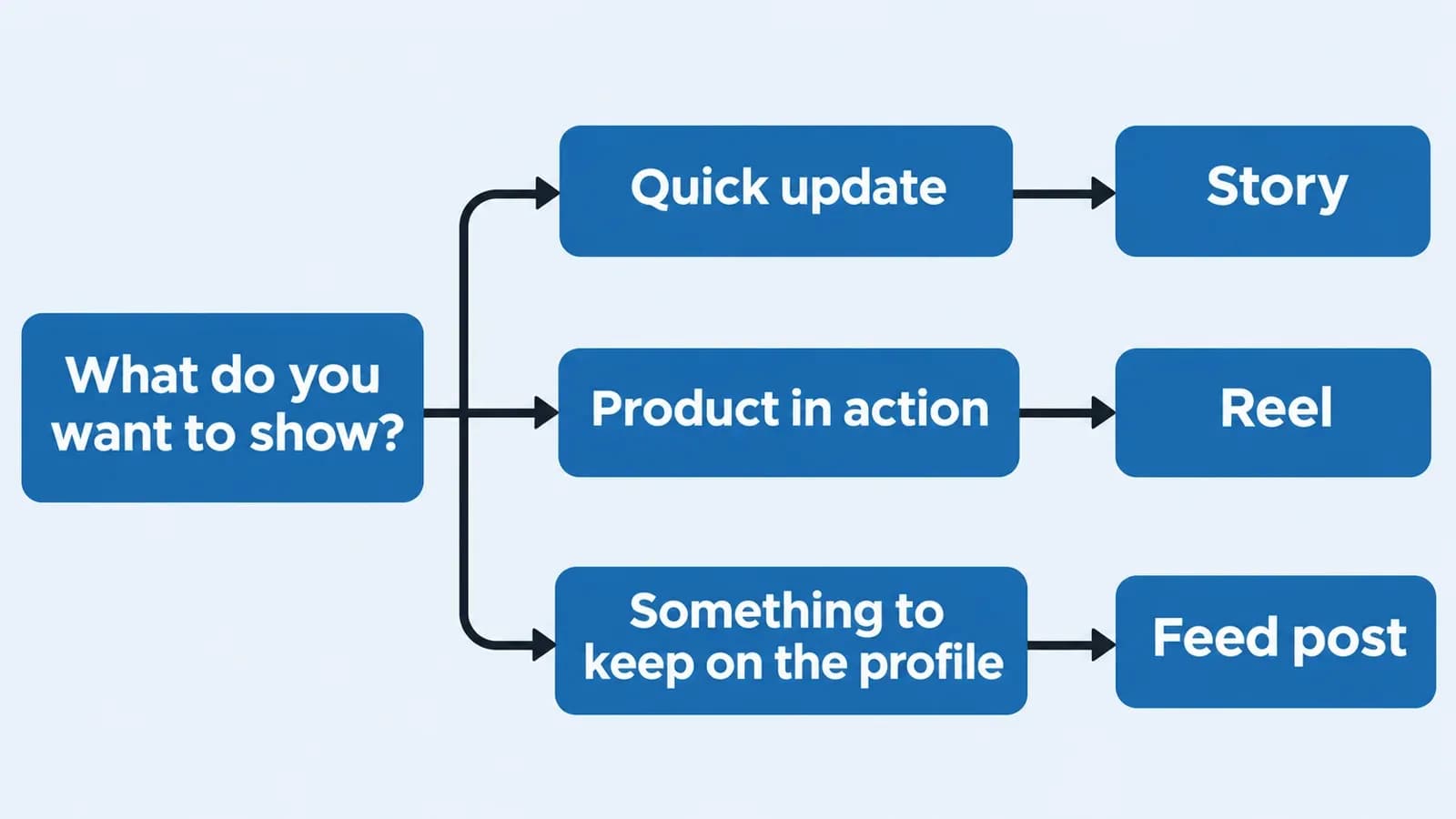
Use a Story for a quick update, a Reel when there is a short moment worth showing and a feed post for something that should stay easy to find. A decision table and a hypothetical restock show the choice in practice.

Kushal Shrestha
Marketing & Engineering
9 min read

In short
- Choose by purpose first: a Story is for a quick, in-the-moment update, a Reel is for a short video that shows the product in action, a feed post is for something worth keeping on the profile.
- Effort differs. A Story can be made from what is in front of you. A Reel needs a little planning. A feed post needs a good image and a considered caption.
- Intent differs: Stories suit things that matter now, while feed posts and Reels suit things worth keeping as part of the shop's record.
- For a restock, one idea can use all three, each doing a different job.
- Draft the wording ahead and approve every post yourself before anything goes out.
For a small product shop, the choice between a Reel and a Story comes down to the job the post has to do. Use a Story for a quick update that matters right now, a Reel for a short video that shows the product in action, and a feed post for something that should stay easy to find on the profile. This article is for owners who run the whole shop and want a simple way to decide before picking up the phone.
You will get a decision table, a short set of questions to ask each time, a hypothetical restock example that uses all three formats and a note on where drafts and approval fit. Nothing here promises reach. The aim is to match the format to the purpose so the effort goes where it earns its place.
Start with the purpose, not the format
The reel vs story Instagram question usually starts with "which one is better?" That framing hides the real issue: they are built for different jobs. A format that suits one message can be awkward for another.
Ask one question first: what should the person looking at this post do or understand?
- Know something now. Stock is back, a market stall is open this weekend, a batch is being poured. This is an update.
- See the product work. A scent being lit, a sauce being spooned, a cloth being unfolded. This is a demonstration.
- Remember the shop. A new product, a clear photo, a caption that explains the item. This is a record.
Once the purpose is clear, the format mostly chooses itself.
What each format is good at
Story: the quick, in-the-moment update
A Story suits things that matter while they are current. It is informal by nature, so a slightly rough photo or a few words laid over a picture is fine. It is a good home for behind-the-scenes glimpses, a countdown to a drop, a poll about the next scent or a reminder that something is available.
The effort is low. A Story can be made from what is in front of you, which is why it works for a busy owner on a packing day. If a post is mostly useful today, a Story is usually enough.
A Story is not the place for information that someone will need to find again later. For ideas on using them around a seasonal push, Christmas Instagram Story ideas for small brands has practical prompts, and adding a link to an Instagram Story for product drops covers sending interested people to the right page.
Reel: a short video that shows the product in action
A Reel suits a product that is better seen moving than described. Think of pouring, wrapping, scooping, stirring, unboxing or a simple before-and-after of a process. The video does the explaining, so the caption can stay short.
The effort is moderate. A Reel needs a little planning: what the opening frame shows, what happens, what the last frame leaves in the viewer's mind. It does not need to be polished. A steady phone, daylight and one clear action usually go further than elaborate editing.
A Reel is worth the planning when the product has a process or a texture that photos cannot carry. If the item looks the same in motion as it does in a still, a photo may be the better use of the time.
Feed post: something to keep on the profile
A feed post suits content that should still make sense when someone visits the profile a while later: a new product, a clear photo, a caption that explains what the item is and who it is for. The profile grid becomes a small catalogue of the shop's best material.
The effort sits in the image and the words. A good photo and a caption that answers an obvious buyer question will do more than a hurried post. For caption tags, a small hashtag set for product shops shows a routine that keeps tags honest.
Reel, Story or feed post: a decision table
Use this table as a quick check. Read across the row that matches the message.
| If the message is... | Best fit | Why | Effort | Now or keeping |
|---|---|---|---|---|
| Stock is back, a stall is open, a batch is being made | Story | It is current and informal | Low | For now |
| How the product looks or behaves in use | Reel | Motion shows what words cannot | Moderate | For keeping |
| A new product or a clear catalogue-style photo | Feed post | It should be easy to find later | Moderate to high | For keeping |
| A poll, a question or a quick reminder | Story | Light and conversational | Low | For now |
| A process people enjoy watching | Reel | The process is the content | Moderate | For keeping |
| An announcement with details people will want again | Feed post | A caption can hold the detail | Moderate | For keeping |
The last column is about intent, not rules. Ask whether the post is for now or for keeping.
Four questions to ask before you shoot
Before picking up the phone, run through these. They are quick to answer.
- What is the one thing this post should say? If there are two, make two posts.
- Does it matter now, or later too? Now points to a Story. Later points to a feed post or a Reel.
- Does the product need to move to be understood? If yes, consider a Reel.
- How much time is there today? Be honest. A well-made Story beats a Reel that never gets finished.
If the answers conflict, choose the lowest-effort format that still does the job. Consistent small posts are easier to keep up than occasional big ones. For a way to plan that rhythm, a social media content calendar template for Google Sheets gives a layout to work from.
Worked example: a restock (hypothetical)
This example is hypothetical, with an invented shop, and it contains no real results. None are claimed.
Imagine a one-person candle shop whose most popular scent sold out and is now back in stock. The owner wants people to know, and wants new visitors to understand what the candle is. One idea, three jobs.
Story: the news. The owner takes a quick photo of the restocked shelf and adds a few words: it is back. A second Story shows the label being applied, as a small behind-the-scenes touch. The purpose is to tell the people already watching that the product is available. The effort is small. If there is a page for the product, a link goes on the Story.
Reel: the product in use. The owner records one short clip of the candle being lit in a quiet room, steady phone, daylight. No voiceover, a short caption. The purpose is to show the product doing what it does, for someone who has never held it. The effort is moderate, because the clip needs one decision about the opening frame and one about the ending.
Feed post: the record. The owner posts a clear photo of the candle with a caption that names the scent, the size and who it suits. The purpose is to give the profile a lasting, easy-to-find post about this product. The effort is in the photo and the words.
Notice how the three do not repeat each other. The Story says "it is back," the Reel says "this is what it is like" and the feed post says "this is what it is." If the owner only has time for one, the choice follows the goal: tell existing followers (Story), win over newcomers (Reel) or document the product (feed post). If a restock or launch is better shared with another maker, how to use an Instagram collab post as a small brand covers that route.
Where drafts and approval fit
Format decisions are only half the work. The other half is the words: the Story overlay, the Reel caption, the feed caption. Writing them from scratch each time is what makes a posting routine hard to keep.
Youanai Social builds a Business DNA profile from your website, capturing brand voice and offer rules, and drafts social posts from it. The Story photo and the Reel clip are still yours to make; the drafts help with the wording around them. Every draft waits for your approval, so nothing is posted until you have read it and agreed. There is a free way to start.
A simple routine that works with any format:
- Decide the purpose and the format using the table above.
- Make the picture or clip on the phone.
- Draft the wording for the caption or overlay, from your own notes or from a draft.
- Read it back against your offer rules: is every claim one you already make on your product page?
- Approve, edit or drop it.
- Post, and note which format you used so you can look back later.
Common mistakes with Reel vs Story choices
- Using one format for everything. The same message in the same shape every time wastes what each format is good at.
- Putting lasting information in a Story. If someone will need it next month, give it a home on the profile.
- Starting a Reel with no plan. One action and one clear opening frame beat a pile of clips.
- Skipping the feed. A profile with only fast updates gives a new visitor little to understand.
- Over-polishing a Story. Informal is the point. Save the care for the pieces meant to stay.
- Posting drafts unread. Wording written ahead of time needs a read-through before it goes live.
FAQ
Is a Reel or a Story better for a small business?
Neither is better in general; they do different jobs. Use a Story for quick, current updates and a Reel for a short video that shows the product in action. Pick by what the post needs to do.
Should a small shop post Reels, Stories and feed posts?
It can help to use all three, each for a different purpose, but only as far as time allows. A small number of well-chosen posts is easier to keep up than trying to cover every format.
What should I post in a Story instead of a Reel?
Post updates that matter now: stock coming back, a market date, a batch being made or a quick poll. These are informal by nature and are quick to make.
Does a Reel need to be professionally edited?
No. A steady phone, daylight and one clear action are enough for most products. A simple clip with a short caption is a fine start.
When should I use a feed post instead?
Use a feed post for anything that should stay easy to find on the profile, such as a new product with a clear photo and a caption that explains it.
Can I reuse the same idea across a Reel, a Story and a feed post?
Yes, if each one does a different job. The restock example above shows one idea told three ways: the news, the product in use and the lasting record.
Can AI draft my Instagram posts?
A tool can help draft the wording, but you should read and approve every draft before posting. Youanai Social builds a Business DNA profile from your website and drafts social posts from it, and every draft waits for your approval before anything is posted. The photos and video clips are still yours to make.
Keep reading
How to Get More Views on Instagram: A Weekly Routine

Few views usually trace back to a handful of fixable habits. Check the first line, the idea, the product shown, the rhythm,…

10 min read
Instagram Post Ideas for a Small Product Brand, by Goal

Stop asking what to post and start asking what you are selling this week. Five idea types for a product brand, then…
10 min read
Best Hashtags for Instagram: A Small Set for Product Shops

The best hashtags for a one-person product shop are the ones that describe the post honestly. Build a small set in four…
10 min read