
Insights
Turn one product page into a week of Instagram posts
Open one live product page. Map title, bullets, FAQ, reviews, and offer fields into Mon–Fri Instagram jobs — then approve before anything posts.
Youanai Editorial
5 min read
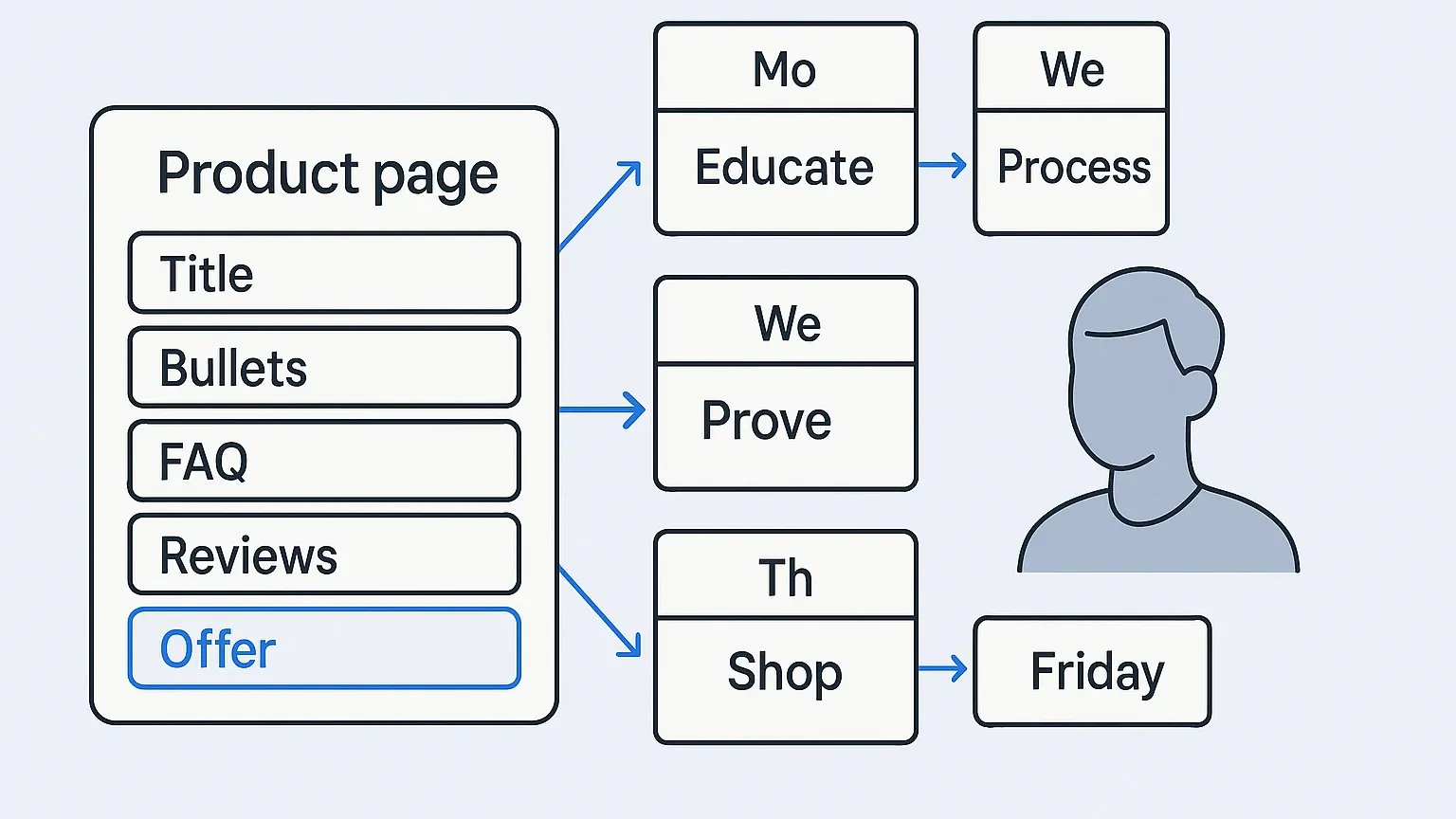
Your camera roll is fine. The calendar is still empty because you keep starting from “what should I post?” instead of the page that already sells the SKU.
Open one live product page. The title, bullets, FAQ, reviews, variants, and offer line are already buyer answers. This page turns those fields into a Mon–Fri Instagram week you can draft in one sitting and approve before anything ships.
This is not a remake of product photos → a week of Instagram. That cousin starts from shots on your phone. Here the source is the product page (PDP) — the copy and facts shoppers already see. For blog → Instagram routes, start at content repurposing. If the whole calendar is blank, fix that job in empty calendar for a one-person ecommerce brand first.
Public ecommerce calendars often tell teams to start from product pages, reviews, and purchase blockers, then stretch into a 30-day arc (AttentionClaw on Shopify social systems). Steal the input list. Drop the agency month. One SKU. One week. You as the only approver.
Tool pages will paste a description and spit autoposts (IDEQO product-description → post). Fine for a first draft. Bad as a publish button. You still gate facts, voice, and risk.
The one-person answer
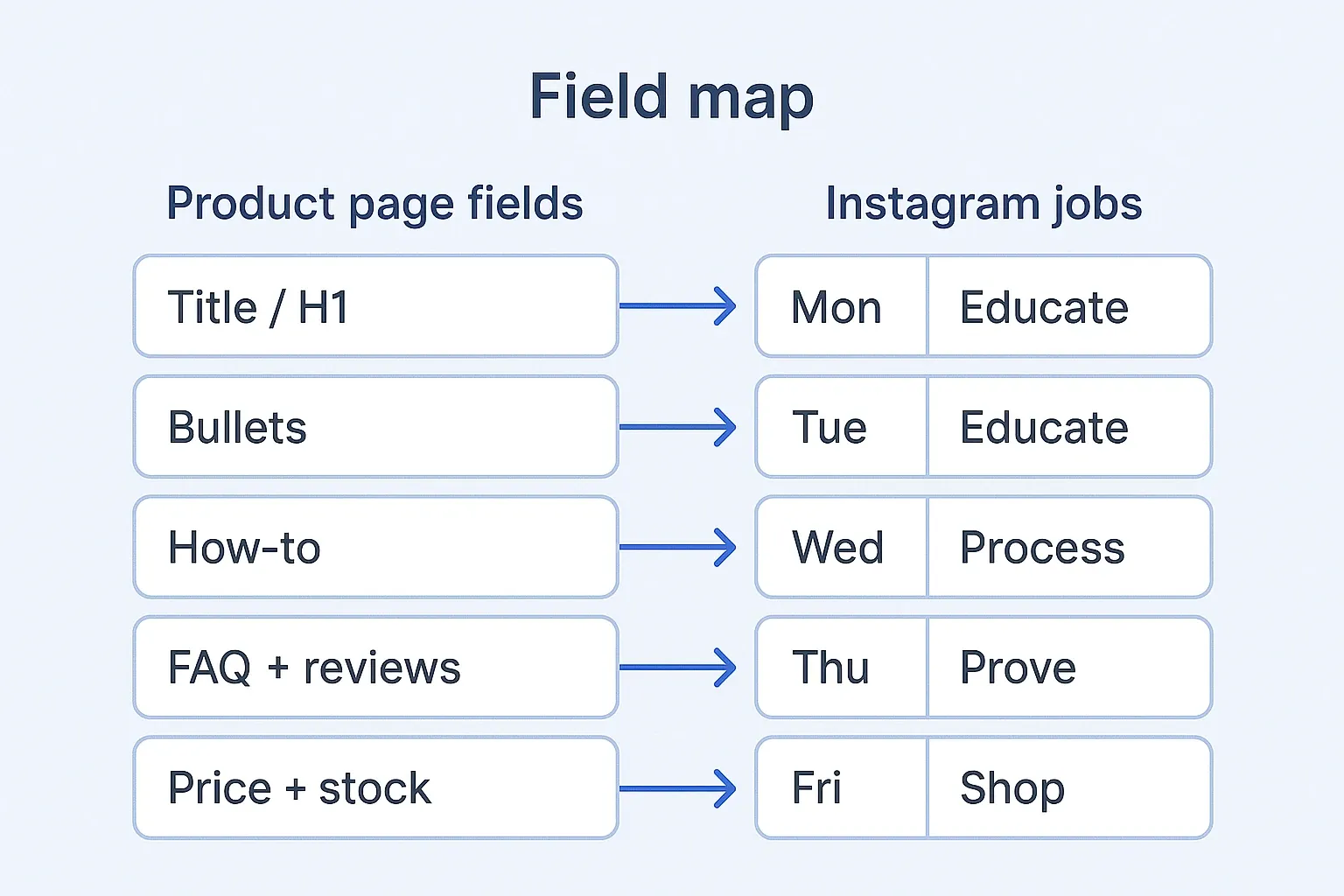
One live PDP → field map → five post jobs → approve.
| PDP field | Buyer question it already answers | Instagram job |
|---|---|---|
| Title / H1 | What is this, exactly? | Educate hook (Mon) |
| Bullets / benefits | Why should I care? | Educate carousel or Reel seed (Tue) |
| How-to / use / ingredients | How do I use it? | Process / teach (Wed) |
| FAQ + reviews | Can I trust it? | Prove (Thu) |
| Price, stock, offer, shipping | What do I do next? | Shop CTA (Fri) |
One field → one job. Do not turn every bullet into five near-duplicate product posts.
Field map before you open Canva
Lock the map before captions.
- Pick one live SKU with a real PDP (not a draft listing).
- Copy five fields into a note: title, top three bullets, one use/how-to line, one FAQ or review line, today’s price/stock/offer.
- Assign each field a day and a job from the table above.
- Pair each job with one photo you already have (hero, detail, in-use, process, or offer). Photos still matter — they are not the brief.
- Draft captions from the field text, then kill AI sludge and run your approve gate.
Kill list for PDP → Instagram weeks:
- Autoposting the full catalog every night
- Rewriting the same benefit five times with new emojis
- Inventing “limited drop” when the PDP says in stock
- Skipping FAQ/reviews because “those aren’t content”
- Starting from a blank Canva template with no field note
Method: strip the page, then draft the week
Method first. Tool second.
| Step | Do this | Done when |
|---|---|---|
| 1 | Open the live PDP in a desktop tab | URL matches what customers buy today |
| 2 | Paste five fields into a plain note | No fancy doc; five lines is enough |
| 3 | Map fields → Mon–Fri jobs | Each day has one noun and one job |
| 4 | Attach one existing photo per day | No new shoot required for week one |
| 5 | Draft → gate → schedule Approved only | Holds stay offline |
Public planning guides push buyer questions and product-page inputs before design (AttentionClaw). That is the useful part. The rest of this page is the solo compression: five posts, not thirty days of team slots.
Worked example (hypothetical trail mix)
Hypothetical (not a customer story): you sell “Cedar Ridge Trail Mix,” 340 g, almonds + dried cherries + dark chocolate. Live PDP fields on hand:
| Field | What the page says today |
|---|---|
| Title | Cedar Ridge Trail Mix — 340 g |
| Bullets | Almonds, dried cherries, 60% dark chocolate; resealable pouch; no artificial colors |
| Use | Pack for hikes; pour over yogurt |
| FAQ / review | “Does it melt?” → Keep below 24°C / shade the pouch. Review: “Survived a 12 km ridge without turning to paste.” |
| Offer | 340 g in stock. Ships same day before 14:00. No promo. |
Bad week: five nearly identical pack shots with “Our thoughtfully crafted blend…” captions, one of which still says “launch pricing” from last month.
Better week (same PDP, five jobs):
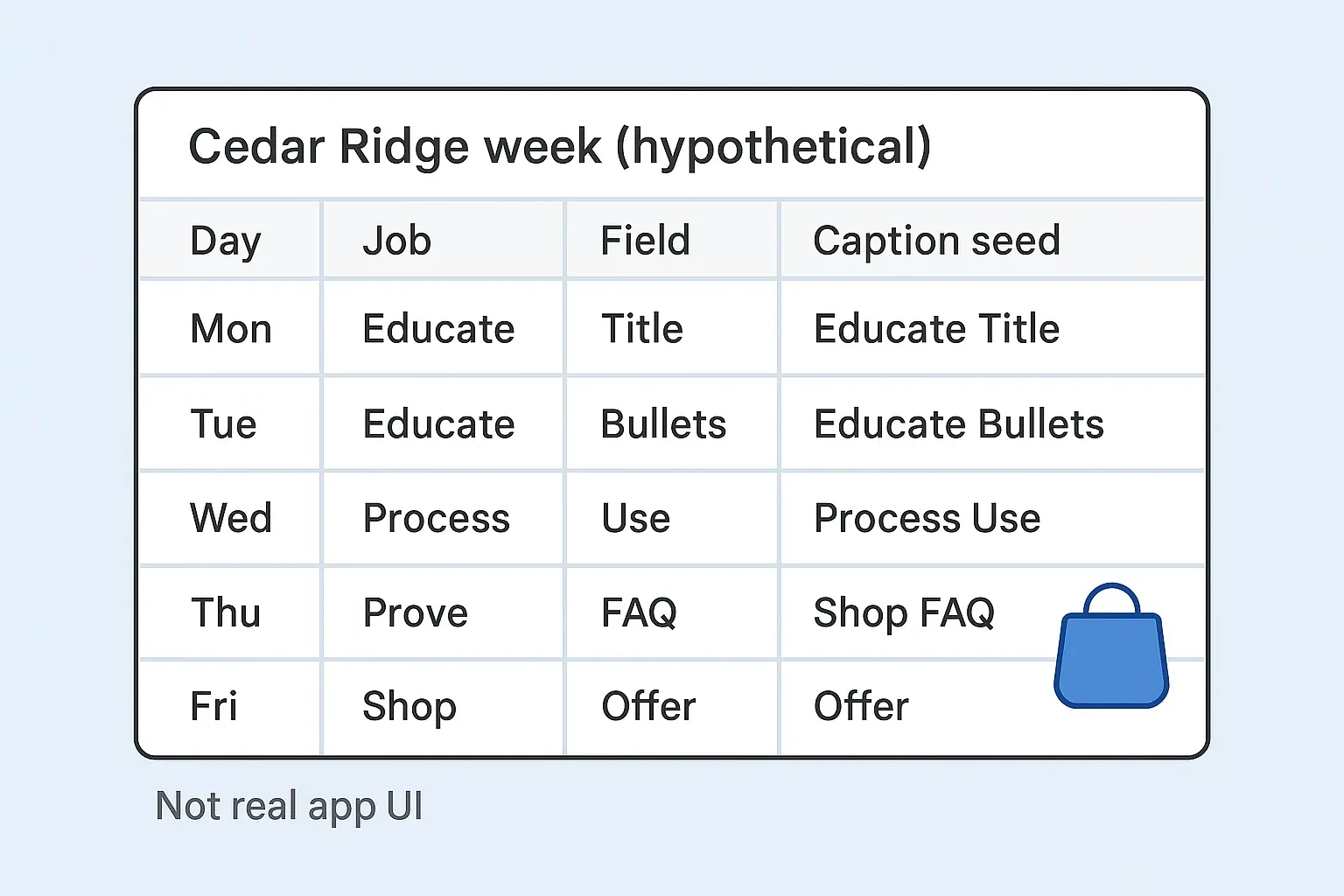
| Day | Job | Field used | Caption seed |
|---|---|---|---|
| Mon | Educate | Title | Cedar Ridge Trail Mix. 340 g. Almonds, cherries, dark chocolate. |
| Tue | Educate | Bullets | Three things on the label: real nuts, dried fruit, 60% dark — no artificial colors. |
| Wed | Process | Use | Pack it. Or pour it on yogurt. Same pouch. |
| Thu | Prove | FAQ + review | Melts in heat? Keep it shaded. One hiker note: 12 km ridge, still a mix. |
| Fri | Shop | Offer | 340 g in stock. Ships same day before 14:00 — link in bio. |
Soap, serum, sauce, and jewelry cousins use the same grid: swap the noun and the use line. Do not invent a content team when you are the one packing orders.
Sunday batch that survives Monday
- Open one live PDP. Paste five fields.
- Map Mon–Fri jobs. Attach one photo each.
- Draft captions (AI ok for a first pass).
- Step away. Run the approve-to-ship gate.
- Schedule Approved only. Leave Holds in the draft pile.
Owner-run shops in our ecommerce brands lane need a week pulled from pages that already sell — not seven autopost sludge lines. If you want calendar drafts from your Business DNA that still need your yes before they go live, start in Youanai Social.
FAQ
How is this different from turning product photos into a week of posts?
Photos are the media. The product page is the brief. Use product photos → Instagram week when the camera roll is the bottleneck. Use this page when the listing already has the answers and the calendar is empty.
Do I need a new photoshoot?
No for week one. Pair each field with a photo you already have. Schedule a shoot only when a job has no honest visual.
Can I autopost every SKU from Shopify?
You can generate drafts from descriptions (IDEQO-style tools). Do not autopublish the catalog. Fact match, voice, and risk still need a human yes.
What if my PDP is thin — no FAQ, no reviews?
Write the missing field for the page first, or borrow one honest support answer you already give in DMs. Do not invent social proof. Thin PDPs make thin weeks.
How many posts per week from one page?
Five is enough for a maintain week on a one-person shop. Three is fine if packing days are brutal. More than seven from one thin listing usually becomes sludge.
Where does approve-to-ship fit?
After drafts exist. This page builds the week from PDP fields. Approve-to-ship is the gate before schedule.