
Insights
Ecommerce Product Photography at Home: A Simple Setup
A phone, a window, a plain surface and a fixed shot list are enough to photograph a small catalogue consistently. Here is the setup, the list, and how the same shots feed a week of posts.
Aayush Lamichhane
11 min read
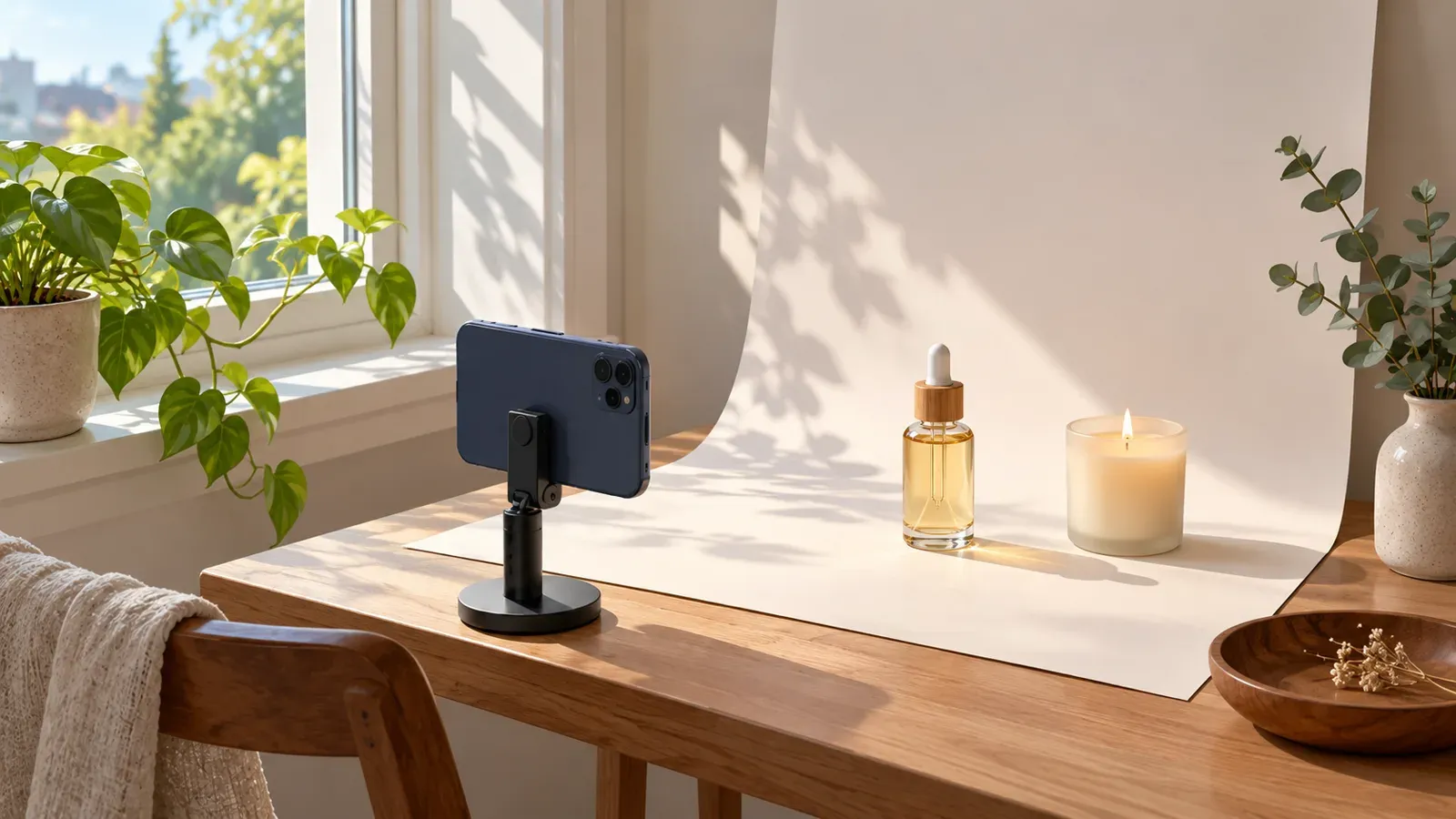
In short
- Use one window, one plain background and one phone position, and keep all three the same for every product.
- Shoot the same short list for each product: front, angle, detail, scale, in use, and one flat lay.
- Consistency matters more than any single great photo, so write your setup down and repeat it.
- Name files by product and shot type so you can find them later.
- The same shots can fill a week of posts; drafts should be approved by you before anything goes out.
You can take good ecommerce product photography at home with a phone, one window, a plain background and a fixed shot list. The trick is not better gear. It is taking every product the same way, so the catalogue looks like one brand and the photos can be reused for weeks of posts.
This guide is for owners of small product brands (skincare, candles, specialty food, handmade goods) who are also the photographer, the editor and the marketing team. It covers the product photography set up, the angles, a shot list per product, file naming, and how the photos become posts.
The short version of a home setup
A home setup has four parts, and none of them needs to be bought new.
| Part | What to use | Why it matters |
|---|---|---|
| Light | One window, with the product beside it so light comes from the side | Side light shows shape and texture without harsh shadows from a lamp |
| Background | One plain surface: paper, a board, a table, or a sheet of fabric without creases | A calm background keeps attention on the product and keeps the set consistent |
| Phone position | A small stand or a stack of books, marked with tape | Same distance and height every time means photos match across products |
| Fill | A white card or sheet of paper opposite the window (optional) | Bounces light into the shadow side so it is not too dark |
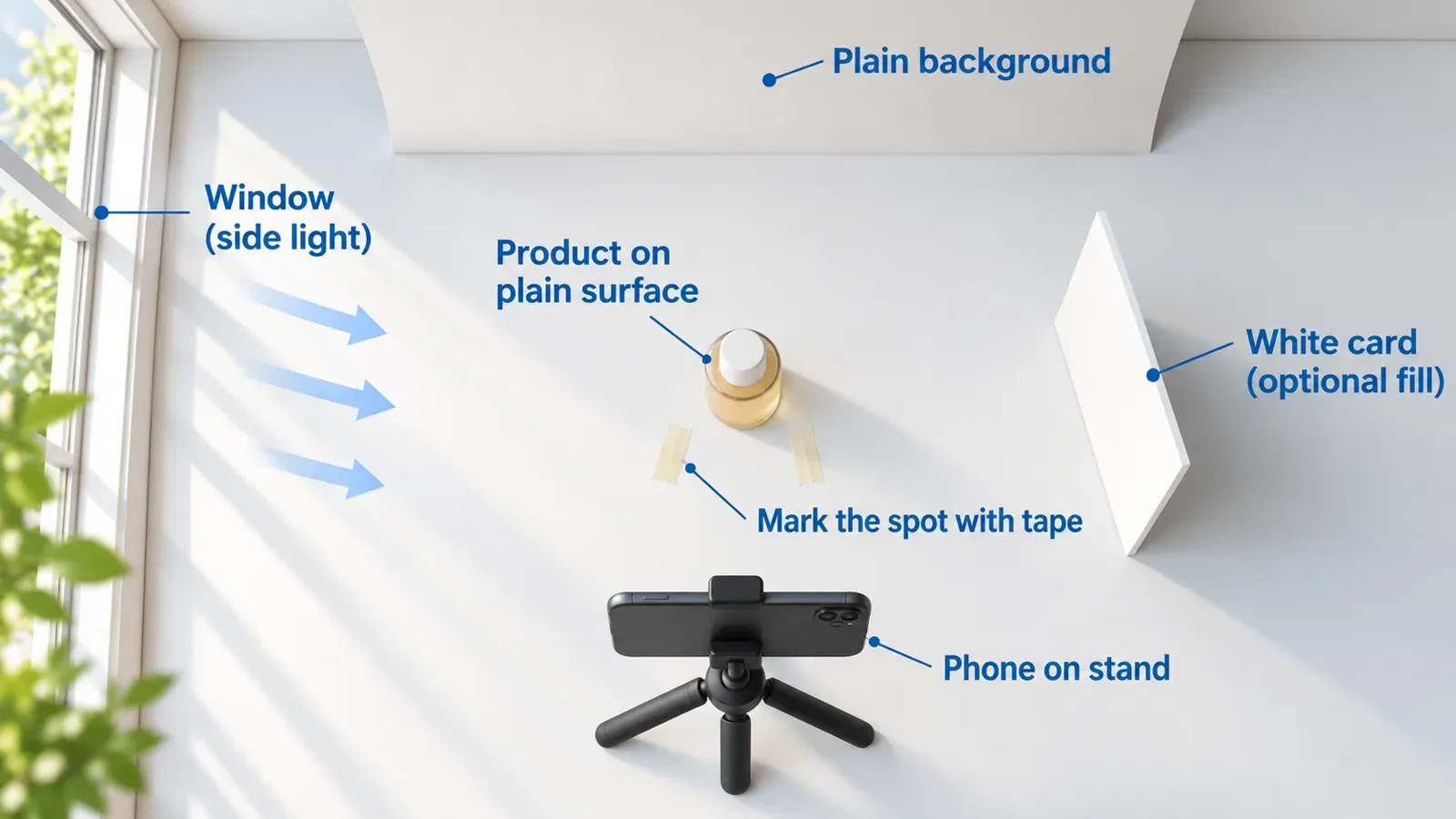
Set the table next to the window, put the background behind the product, and place the phone on its stand in front. Mark the phone and product positions with tape so you can rebuild the setup in a minute.
Light: the one decision that changes the most
Natural light from a window is soft and free. Use it well and the rest gets easier.
- Shoot in the same window and at a similar time of day. Light changes through the day. If you shoot some products in the morning and others in the afternoon, the colours will not match.
- Keep direct sun off the product. If the sun hits the window directly, hang a thin white sheet or curtain over it, or wait until the light softens.
- Turn off room lamps. Mixed light sources give a colour cast that is hard to fix later.
- Use the side, not the back or front. Side light shows the curve of a bottle or the texture of a candle surface. Light from directly behind the phone flattens the product.
- Add a white card on the shadow side if the far edge looks too dark. Move it closer for more fill, further away for less.
If the day is dim, wait. A product shot in good light and a plain background usually looks better than an edited photo taken in poor light.
Background and surface
Choose one background for the whole catalogue and keep it. A plain light surface is the easiest to repeat. A single sweep of paper that curves from the table up the wall removes the hard line where the table meets the wall.
A few rules that hold for most products:
- Clean the surface and the product before each shoot. Dust and fingerprints show up on glass and dark labels.
- Keep the background free of prints and patterns, which compete with the label.
- If the product is pale, use a slightly darker background so the edges are visible. If it is dark, use a lighter one.
- Choose one or two "prop" colours that suit the brand and use them sparingly. Props are for context shots, not the main product image.
Angles and framing
Most product photos fall into a small set of angles. Learn these and you can photograph anything.
- Front, straight on. The phone is level with the middle of the product. This is the clean "catalogue" image.
- Three-quarter angle. Turn the product slightly, or move the phone a little higher. It shows the front and one side, which gives depth.
- Top-down. The phone is directly above. This is the angle for flat lay product photography (more on that below).
- Close detail. Move closer to show a label, a texture, a lid, a wick or a pump. Tap the screen to focus, and hold still.
- Scale shot. Place the product beside a hand or an everyday object so a buyer understands the size.
- In use. Show the product being used or in a room. For a candle, that could be lit on a shelf. For a skincare product, a hand holding the closed bottle.
Practical habits:
- Keep the phone level. Tilted lines make a product look distorted.
- Leave empty space around the product. Space gives you room to crop for different post shapes later.
- Use the phone's grid lines if it has them, so the product sits in the same place each time.
- Wipe the phone lens before you start.
- Do not zoom with your fingers. Move the phone instead, or crop afterwards.
Flat lay product photography
A flat lay is a top-down photo of products and a few props arranged on a surface. It works well for sets, bundles, ingredient stories and "what's in the box" posts.
To keep a flat lay clean:
- Pick one hero product and place it first. Everything else supports it.
- Use odd numbers of props (one, three or five), and leave gaps between items so shapes stay readable.
- Make the layout follow a loose diagonal or a triangle, rather than a grid.
- Keep the phone parallel to the surface. Standing on a chair or using a stand with an overhead arm helps. Do not lean over the set, because your shadow will land on it.
- Take the shot, move one prop, and take it again. Small changes give you several usable images from one setup.
Cosmetic product photography: extra care
Cosmetic and skincare products are often glossy, glass or reflective, so a few extra checks help.
- Reflections. Look at the bottle on the phone screen. If the window or your own shape appears in the glass, shift the product or the phone a few centimetres, or put a plain card where the reflection falls.
- Labels. Make sure the front label is straight and readable in at least one photo.
- Texture shots. A swatch or a small amount of product on a clean surface shows consistency. Keep captions descriptive (what it is, how it is used) and avoid result claims in the photo story.
- Hands. Clean, plain hands look better than busy nails or jewellery in the shot.
If you plan before-and-after content, the skincare before-and-after content checklist covers how to plan it with care.
A shot list per product
A shot list is a short, fixed set of photos you take for every product. It saves you from deciding each time, and it guarantees that every product has what a product page and a week of posts need.
| Shot | Frame | Used for |
|---|---|---|
| 1. Front | Straight on, product centred | Product page main image |
| 2. Three-quarter | Turned slightly | Product page, carousel |
| 3. Detail | Label, lid, texture | Product page, close-up post |
| 4. Scale | Beside a hand or object | Product page, story |
| 5. In use | Product in a natural scene | Posts, ads, email |
| 6. Flat lay | Top-down with a few props | Posts, bundles, gifting |
Worked example 1 (hypothetical): a skincare serum
Imagine a hypothetical small brand selling one serum in a glass dropper bottle. The owner sets the table by the window, puts a light paper sweep behind it, and places the phone on a stand at a taped mark.
- Front: the bottle with the label straight on.
- Three-quarter: the bottle turned a little, showing the dropper cap.
- Detail: close on the label text and the dropper collar.
- Scale: the bottle next to a hand.
- In use: the closed bottle on a bathroom shelf beside a towel.
- Flat lay: top-down with the bottle, its box and one leaf as a prop.
Worked example 2 (hypothetical): a candle
Now imagine a hypothetical candle in a plain jar with a paper label.
- Front: the jar with the label facing the phone.
- Three-quarter: the jar turned, showing the lid.
- Detail: the wax surface and wick, taken close.
- Scale: the jar beside a book or a mug.
- In use: the candle lit on a shelf in the evening, with the room lamps off for this one shot.
- Flat lay: top-down with the jar, a match box and a folded cloth.
Both lists take six photos. A catalogue of ten products becomes sixty images from the same fixed setup, which makes the whole range look related.
File naming and organising
Good names save the time you would later spend scrolling a camera roll. Use a pattern that reads left to right and never changes:
product-name_shot-type_number
For example, for the hypothetical serum and candle:
serum_front_01.jpgserum_detail_01.jpgserum_flatlay_02.jpgcandle_inuse_01.jpg
Some habits that keep a library usable:
- Use lowercase and hyphens or underscores, with no spaces or special characters.
- Keep one folder per product, with an "original" folder and an "edited" folder.
- Keep the first version untouched. Edit a copy.
- Add the shoot date to the folder name (for example
serum_2026-10), so you can tell old photos from new ones. - Delete clear misses straight away; keep the two best of each shot type.
Edit lightly and the same way every time
Editing should make the photos match, not change the product. Crop to straighten, raise brightness a little if needed, and fix the white balance so the background looks neutral. Apply the same adjustments to every photo from a session. Avoid heavy filters. The buyer needs to see what will arrive, and colour that is far from real life can disappoint buyers.
From shot list to a week of posts
The point of a fixed shot list is that one afternoon of photos can feed a week of content. The front and detail shots suit a product-focused post, the scale shot answers a common buyer question, the in-use shot gives a mood image, and the flat lay suits a bundle or gifting post. For the full step-by-step on this, see how to turn product photos into an Instagram week, which we do not repeat here.
A workflow example (hypothetical)
Here is how the hypothetical serum owner could move from photos to approved drafts:
- Product page first. Open the serum's product page and note what the page already says: what it is, who it is for, how it is used, and the offer.
- Match the shot list to the page. Each section of the page suggests a photo: the ingredients line suggests the detail shot, the "how to use" line suggests the in-use shot, and a bundle suggests the flat lay.
- Shoot the six photos in one session, name the files, and put them in the product folder.
- Draft the posts in Youanai Social. It builds a Business DNA profile from the owner's website, covering brand voice and offer rules, and drafts Instagram posts from it. The owner chooses the matching photo for each post.
- Approve before posting. Every draft waits for the owner's approval. The owner edits wording, removes anything that does not sound right or makes a claim the brand cannot support, and approves the rest.
If the product page is where your ideas start, turning a product page into an Instagram week shows that side in detail, and approving drafts before they ship explains why a review step is worth keeping.
Common mistakes to avoid
- Changing the setup between products. A different window, background or distance makes the range look like it came from different shops.
- Shooting only the front. Buyers want to see detail and scale, and posts need variety.
- Relying on the phone's zoom. Move closer instead.
- Heavy filters. They change the product's colour and cause mismatched expectations.
- No naming system. After a few shoots the library becomes unsearchable.
- Posting straight from the camera roll. Pick the best, crop for the post, and check that the label is readable.
FAQ
Can I really do ecommerce product photography with just a phone?
Yes. A phone in a fixed position, good window light and a plain background are enough for a small catalogue. Clarity and consistency come from method rather than equipment.
What is the best background for ecommerce product photography?
A plain, light, matt surface is the easiest to repeat. Choose one and use it for every product. Change the tone only if a product blends into it, for example a pale product on a pale background.
How many photos do I need per product?
Six is a practical start: front, three-quarter, detail, scale, in use and flat lay. Add more only if a product has features a buyer needs to see, such as inside a box or a refill system.
How do I take a flat lay product photo without it looking messy?
Place one hero product first, add one, three or five small props, leave gaps between items, and keep the phone parallel to the surface. Take several versions, moving one prop each time, and keep the cleanest.
How do I photograph glass or glossy cosmetic products?
Check the screen for reflections before you shoot. Shift the product or phone slightly, or place a plain card where the reflection appears. Make sure the label is straight and readable in at least one frame.
How should I name and store product photos?
Use a fixed pattern such as product_shot-type_number, keep one folder per product, and keep original files separate from edited copies. A consistent name lets you find the right image when writing a post.
How do I turn product photos into social posts?
Match each shot to a purpose (product, detail, size, mood, bundle), then write a short post for each. In Youanai Social, drafts are built from your site's Business DNA and wait for your approval before anything is posted.