Website Buddy is live.Take a look
Back to all releases
Improved/August 31, 2026

A major UX update just landed to Youanai Social

A major UX update has landed across Youanai Social. Lisa now gives you a clearer starting point, calmer navigation, more understandable activity and approvals, direct Compose handoffs, and cleaner result and video states.
A calmer starting point

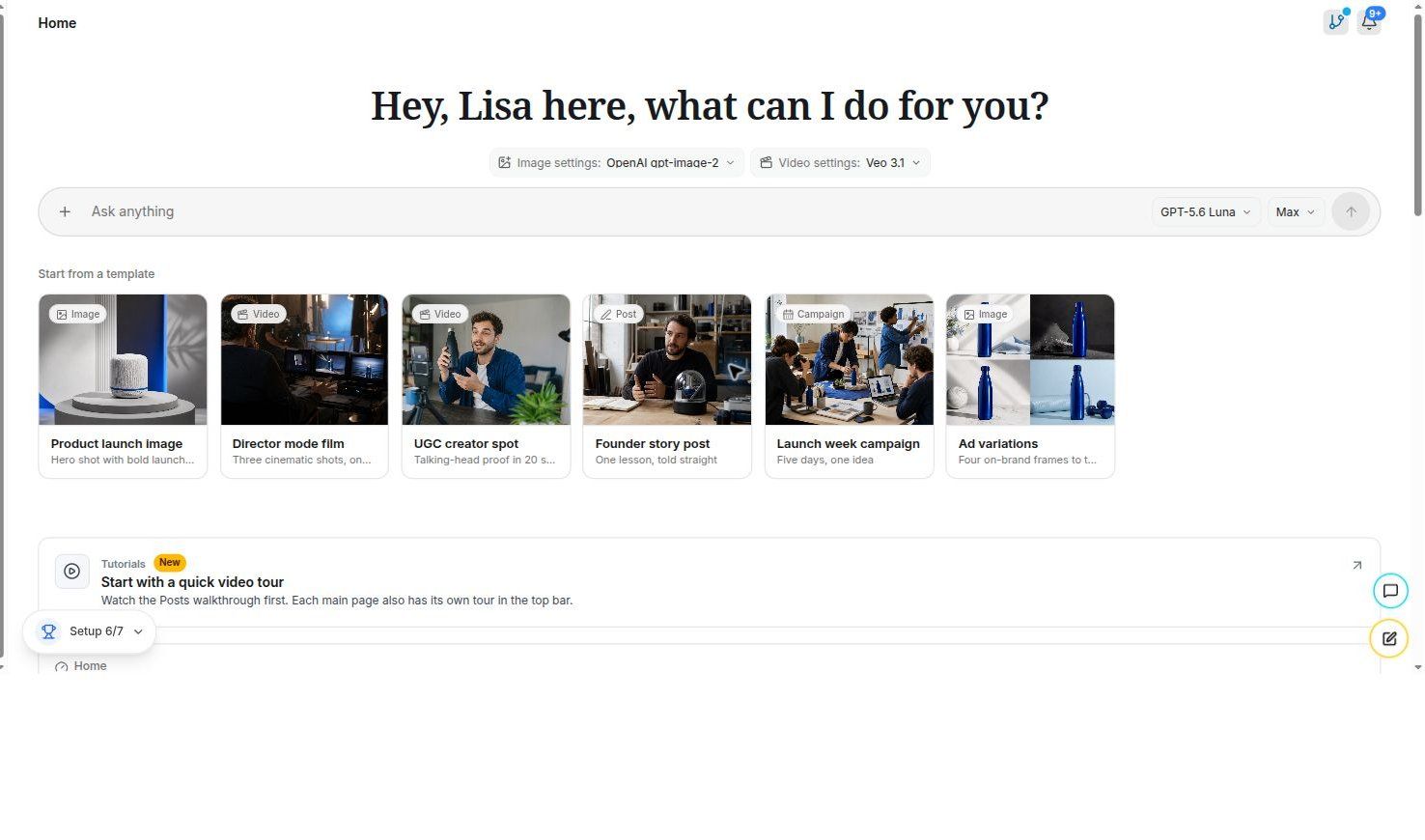
A clearer Lisa home

One focused home now brings your next task, starter prompts, resumable work, readiness, and usage into view.

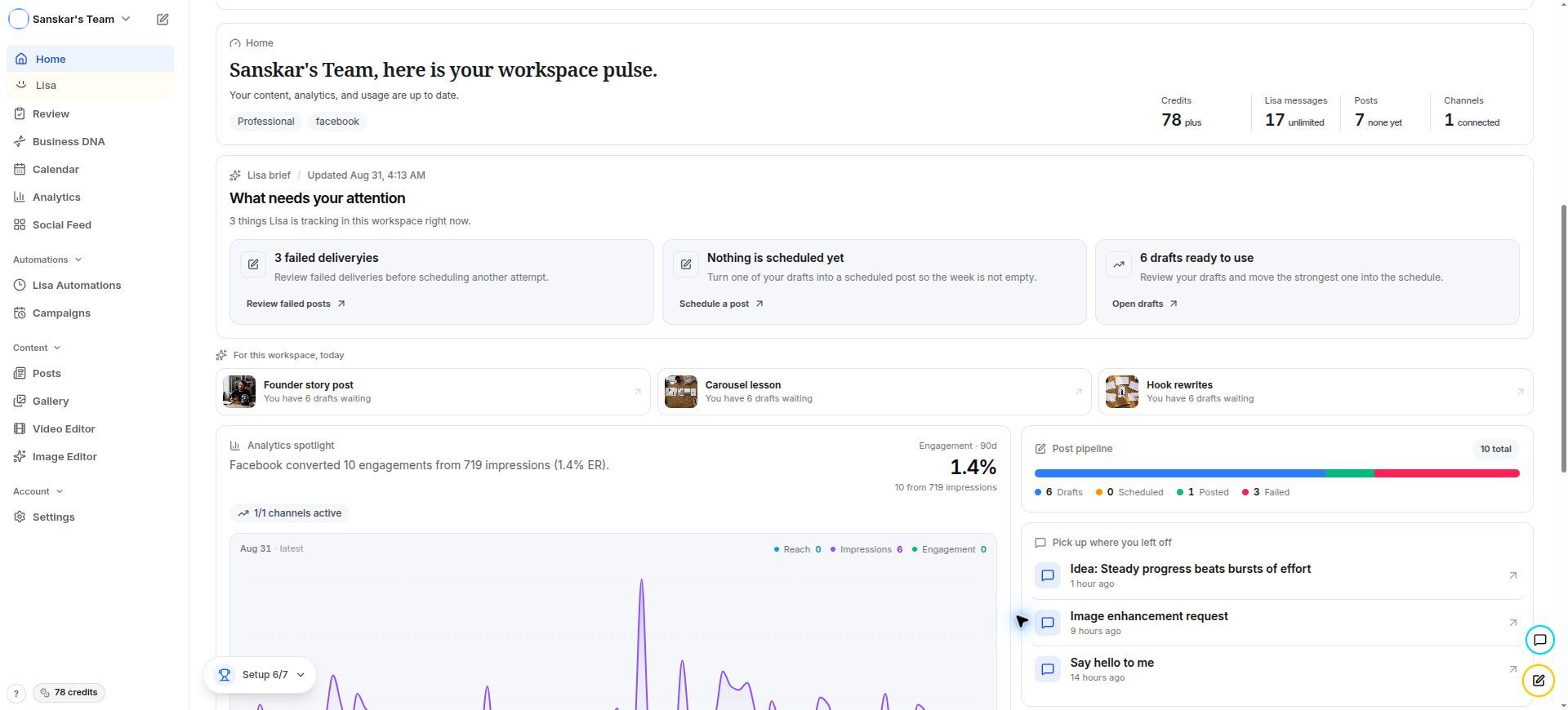
The Lisa home screen is now a calmer place to start. Instead of sending you across separate surfaces, it brings the focused composer, starter prompts, resumable conversations, Business DNA readiness, model preferences, usage, and credit information into one workspace. You can begin something new, pick up where you left off, or see what needs attention before sending a request. The result is a clearer starting point: less hunting through the product, and more confidence about the next useful action.

Lisa home workspace pulse with starter work, usage, attention items, analytics, and resumable threads
A workspace pulse that makes the next useful Lisa action visible at a glance.

Find the right conversation faster

A sidebar designed for faster scanning

Recent and archived conversations now sit in a tighter, easier-to-scan sidebar.

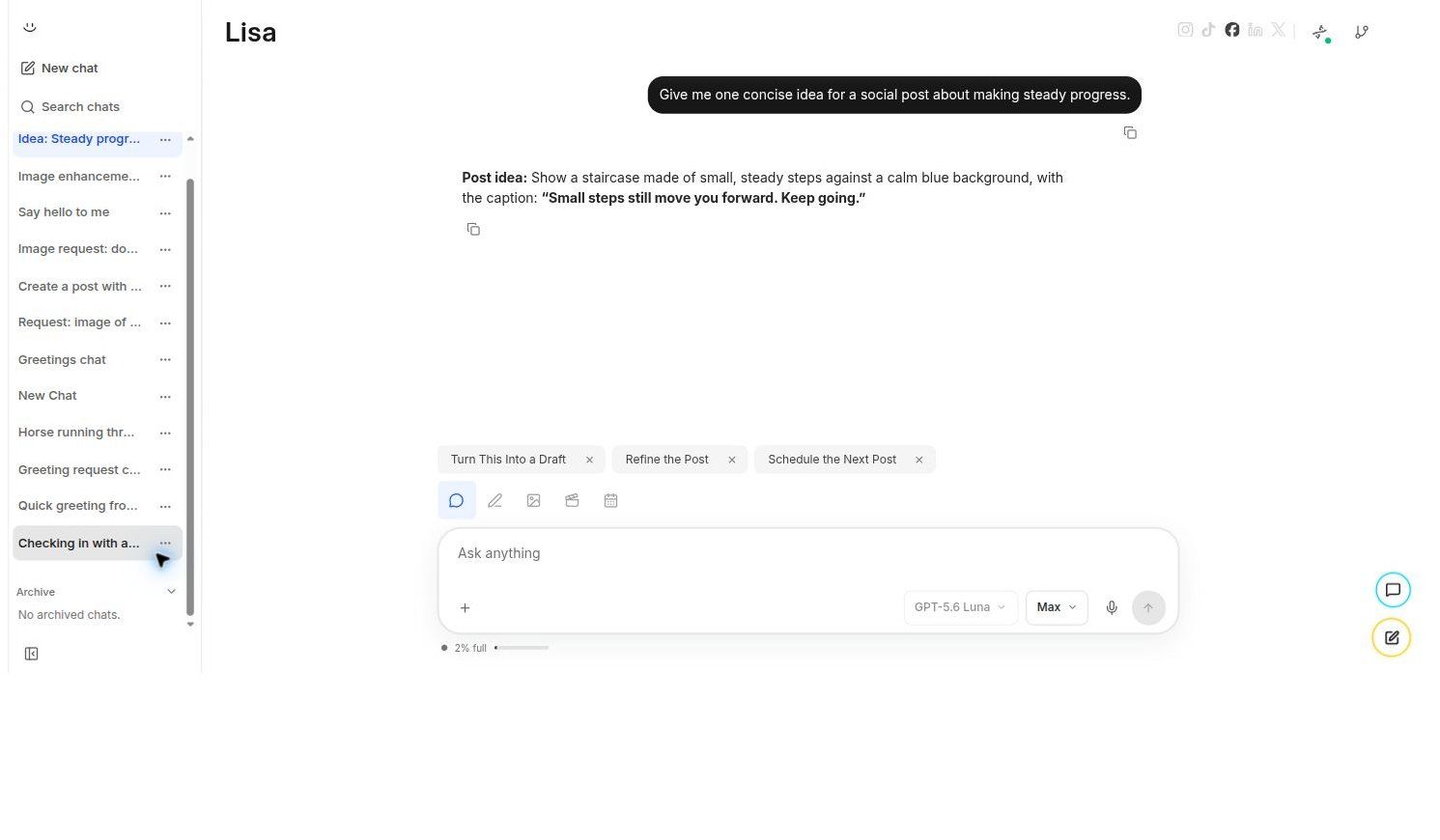
The Lisa sidebar now gives recent and archived conversations a clearer home. Thread rows use calmer spacing, tighter action controls, and more deliberate padding so the list stays readable without feeling oversized. Search, new chat, recent work, and archived conversations remain close together, while the visual hierarchy makes it easier to recognize a thread and understand where it lives. Opening, resuming, and archiving a conversation now takes less visual searching and fewer tentative clicks.

Lisa sidebar with new chat, search, recent conversations, and archive navigation
Recent conversations, search, and archive navigation stay within one focused Lisa workspace.

Keep the conversation focused

Creative-direction choices no longer clutter the transcript

Creative-direction choices still guide Lisa, but the finished transcript stays focused on your brief and results.

Creative-direction selection still controls Lisa’s next step, but the selection prompt no longer remains in the conversation as unnecessary assistant content after the decision is complete. The transcript now keeps its attention on the user’s brief, Lisa’s useful reasoning, approvals, and actual results. That means the choice still has its intended effect behind the scenes, while the visible conversation feels more like a clear working record and less like a replay of internal selection mechanics.

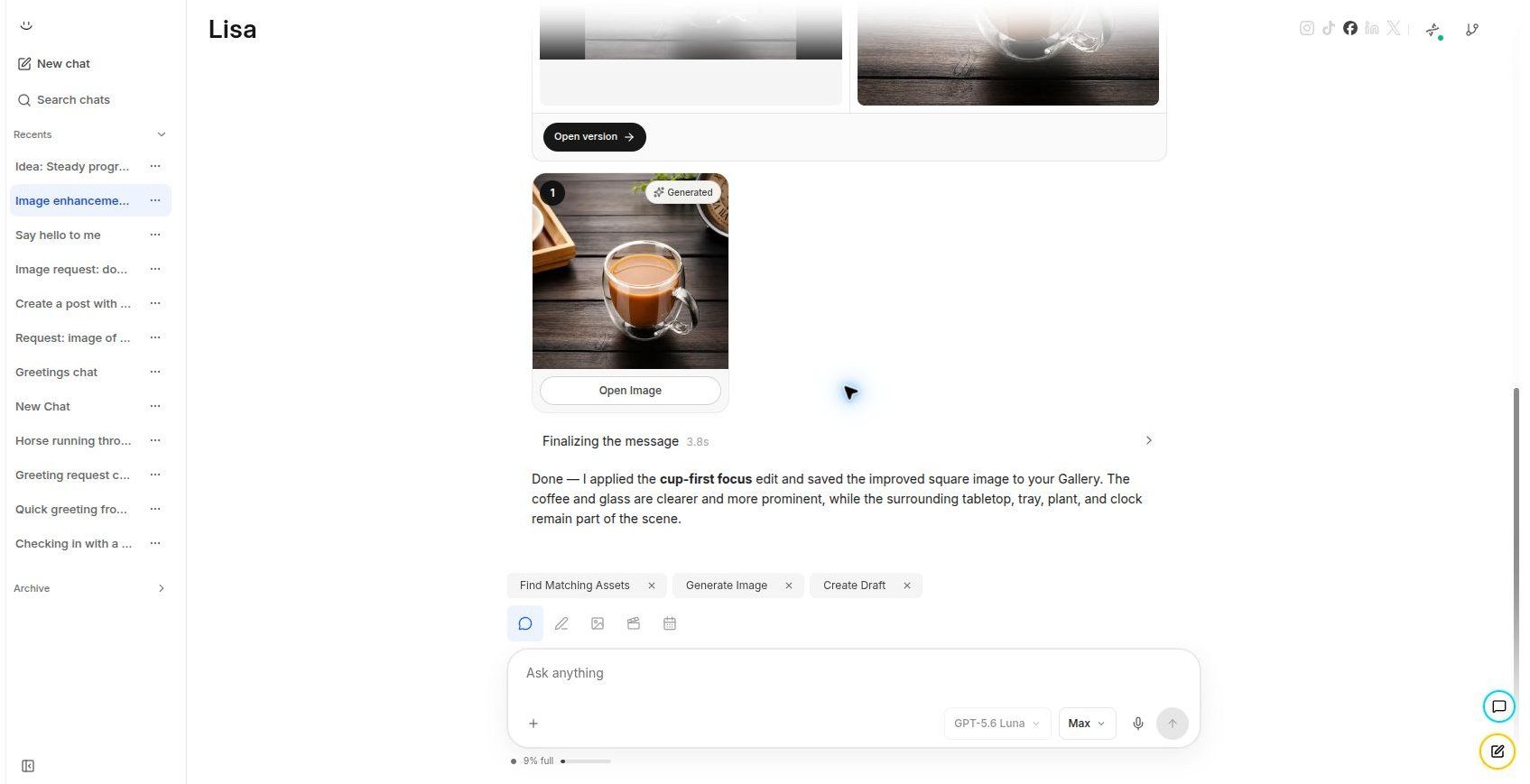
Lisa conversation showing a clean creative-direction workflow and a generated result
The decision still guides Lisa, while the transcript keeps the finished work in focus.

Know what Lisa is doing

Lisa’s working state is easier to understand

Lisa now makes working, waiting, approval, completion, and recoverable failure states easier to understand.

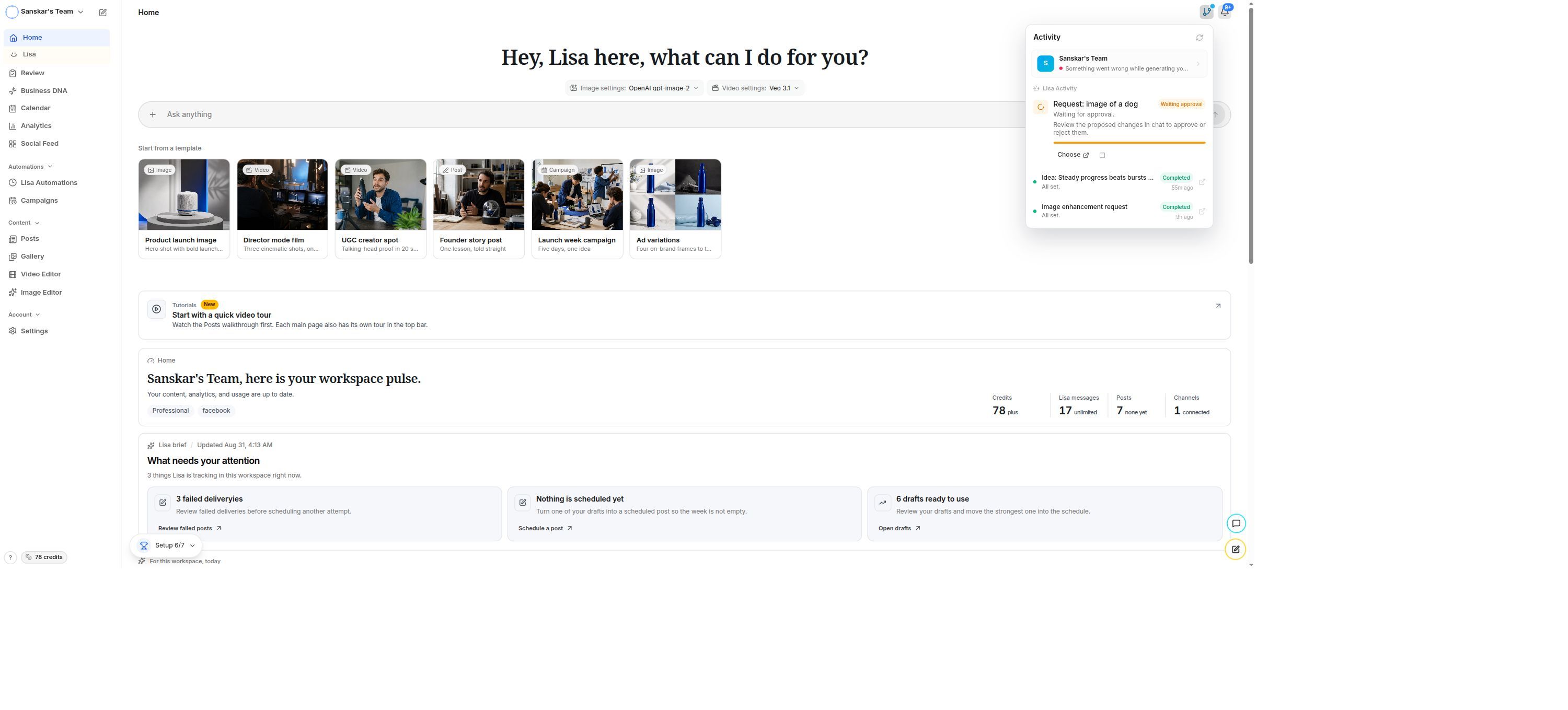
Lisa now distinguishes more clearly between active work, waiting for direction, waiting for approval, completed work, and recoverable failures. The activity and workspace status surfaces make those states actionable instead of leaving them as vague progress language. When Lisa needs a decision, the interface presents Choose. When work is ready to inspect, it presents Open. When something can be recovered, the state says so. The product now communicates what is happening and what to do next with much less guesswork.

Lisa home with the activity panel showing waiting approval and completed workspace tasks
Activity states now explain whether Lisa is working, waiting, or ready for you.

Decide with confidence

Approvals are clearer and resume reliably

Approval cards explain the decision clearly and resume the workflow from the right point.

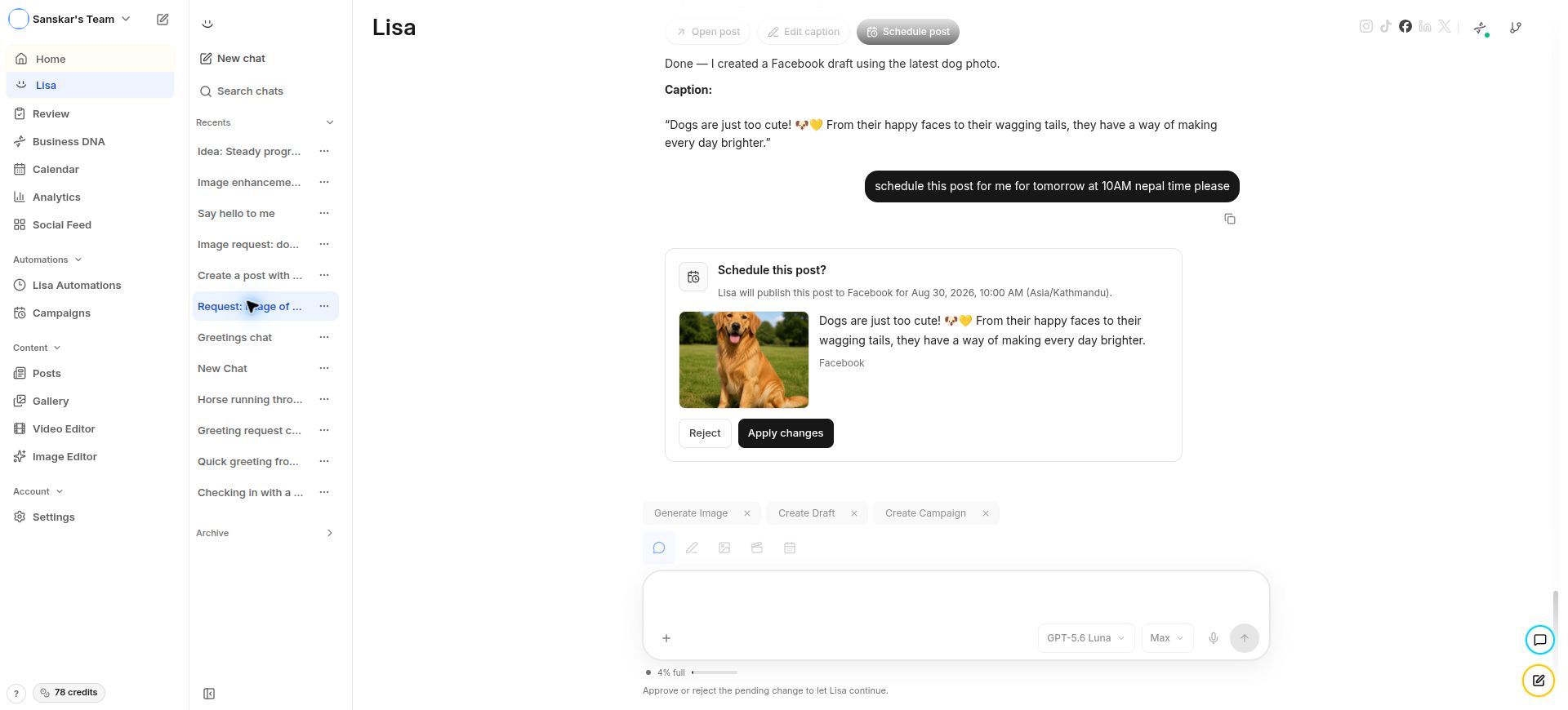
Inline approval cards now explain what Lisa wants to do, what decision is required, and which actions are available. Approval, rejection, waiting, and completed states are presented distinctly, so the card does not make the user infer whether a click was accepted or whether more work is coming. After an approval decision, Lisa resumes from the correct point in the workflow. Approved tasks are therefore less likely to stall, repeat an earlier step, or leave the conversation waiting indefinitely.

Lisa approval card showing a proposed social post with Reject and Apply changes actions
A proposed change is shown with the context and decision controls needed to move forward.

Go from result to action

Generated work can move directly into Compose

Generated media and post drafts can now move straight into Compose with their context intact.

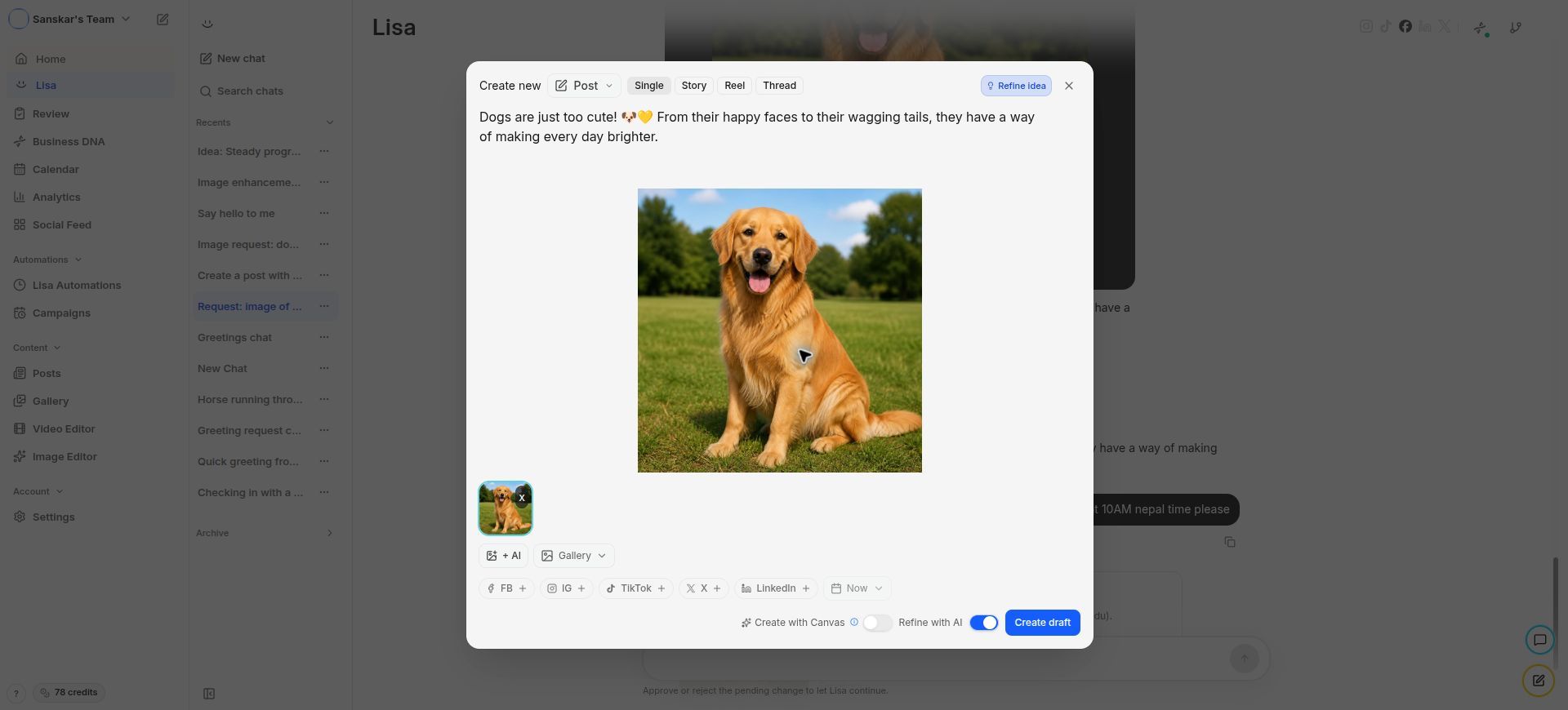
Generated images and Lisa-created post drafts now provide a direct handoff into the Compose surface. The handoff carries the relevant media, caption, and post context with it, so you do not need to download an asset, find it again, or rebuild the post manually before editing. Compose opens with the useful pieces already prepared, leaving you to refine the message, choose channels, and create a draft instead of repeating setup work that Lisa has already completed.

Youanai Social Compose modal with a post preview, media, channels, and Create draft action
A result can move straight into a fully prepared Compose modal for editing or drafting.

See the useful result first

Result cards are easier to read

Result cards now separate the preview, status, metadata, and next actions more cleanly.

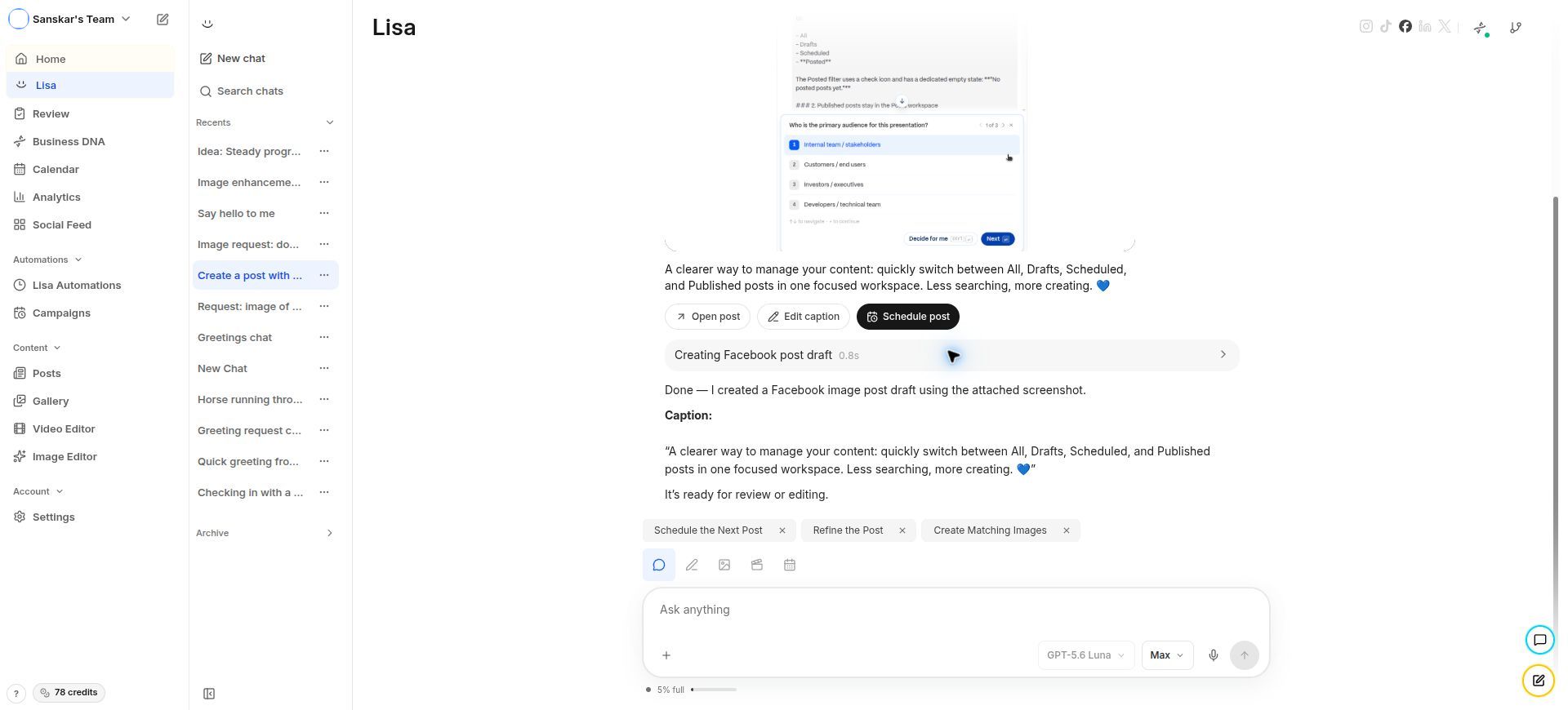
Result cards now give the preview, status, metadata, and available actions their own clearer space. Images, posts, and other generated outputs use a more consistent presentation, with cleaner alignment and predictable controls. It is easier to identify what Lisa produced, see whether it is ready, and understand what can be done next. The card is designed to support a quick scan first, while still keeping the details needed to review, edit, open, or schedule the result nearby.

Lisa post result card with preview, caption, Open post, Edit caption, and Schedule post actions
The result, its status, and its next actions now read as one clear card.

Less repetition, more signal

Repeated intermediate results are reduced

Redundant intermediate cards and milestones are reduced so the final result gets the attention.

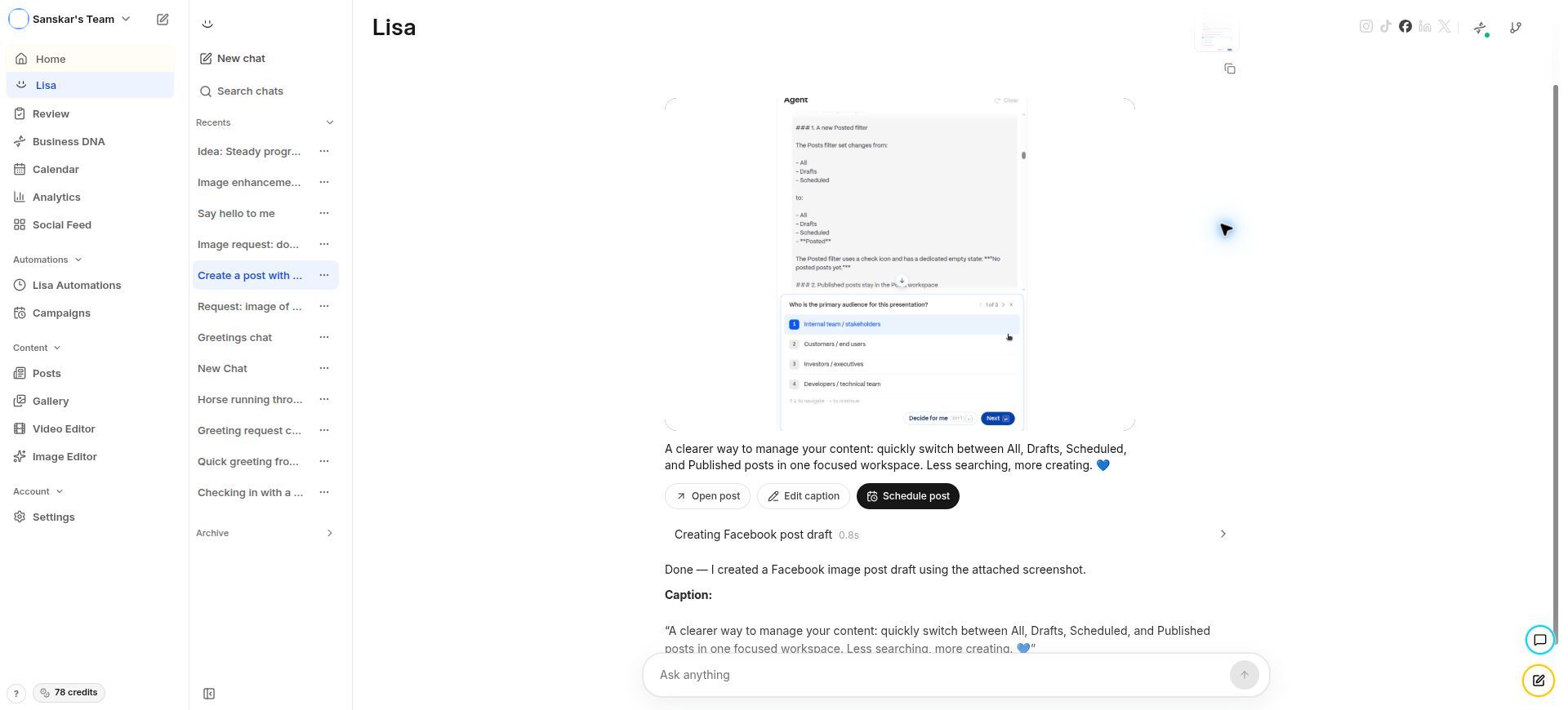
Redundant generated-image cards and repeated intermediate Director milestones are now suppressed when the final result already represents them. The useful output remains visible, while the transcript avoids filling up with duplicate cards or internal progress events that do not require user action. This keeps the conversation easier to review after a longer run and makes the final result feel like the destination rather than one more item buried beneath a replay of every intermediate milestone.

Lisa result transcript showing a clean final post result after intermediate work
The transcript keeps the meaningful output visible without replaying every intermediate milestone.

Know when media is ready

Video results communicate readiness

Video cards now make preview, duration, readiness, and next actions obvious.

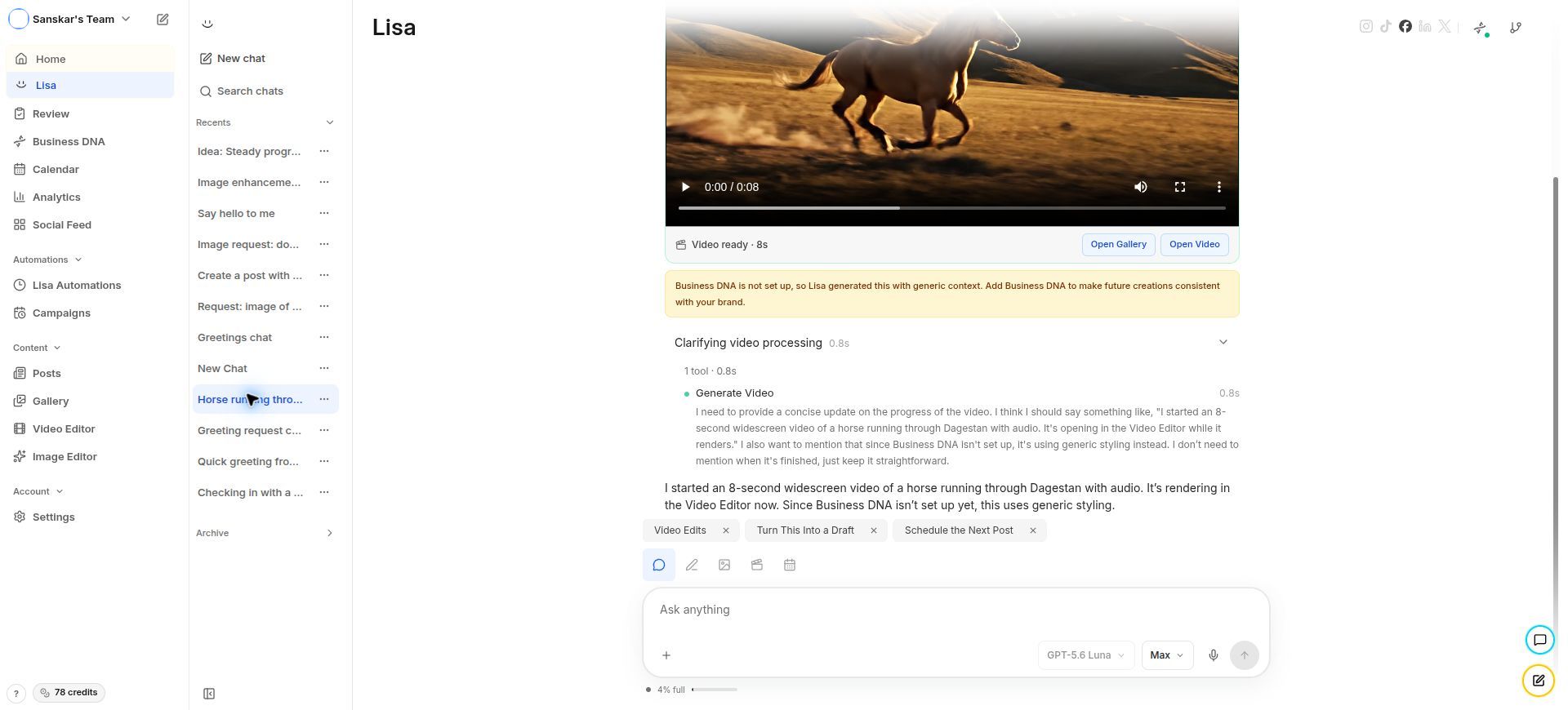
Video result cards now provide a clearer preview, duration information, media status, and a visible ready state. Videos follow the same general interaction pattern as image and post results, making it easier to understand whether the media can be opened, reviewed, or passed into the next workflow. The card tells you what kind of result you are looking at, how long it is, and whether it is ready for the next action without requiring a separate inspection step.

Lisa video result with playable preview, eight-second duration, Video ready status, and gallery actions
A playable preview, duration, and ready status make the next video action obvious.